


Turning a child psychology expert's knowledge into a viable mobile product — from zero to a clear value proposition, business model, and end-to-end design.
Context
Translating child psychology expertise into a mobile product
The project owner was a well-known child psychologist with a large social media following and published books. He had a vision for a mobile app for parents, but no clear product direction, business model, or MVP scope to act on it.
His existing audience was an asset — but without a validated product structure, it couldn't be monetized. The goal was to turn that expertise and audience into something buildable: a real product with a defined value proposition, a sustainable revenue model, and a clear target audience.
I joined to help shape the idea into something buildable — and then to design it end to end.
Problem
User
Parents struggled to find expert-backed advice they could act on
Generic content felt hollow. Parents needed to understand why an approach worked for their child — and they needed it in the moment, not in reading time they didn't have.
Business
An audience and expertise, but no product
The project owner had a following and published books but no product — no business model, no target audience profile, no MVP scope. I was brought in to turn that expertise into something buildable.
Deliverables
One business model, a customer profile, and end-to-end design — ready to hand off
The project owner had an audience but no product. By the end of the engagement, he had a chosen business model, a clear picture of who he was building for, and production-ready designs to hand to a development team.
Approach
Mixed-method research to understand parents' real needs
There was no existing product, no analytics, and no prior user data. Any business model we chose without first understanding the user would have been a guess. So the decision was clear: research before screens, always.
We also had the advantage of a built-in audience through the expert's Instagram following — which meant we could run surveys quickly and cheaply with real parents, rather than recruiting from scratch. That shaped the sequencing: surveys first to understand who they are, interviews next to understand why.
- 1Stakeholder interviews
- 2Online surveys
- 3User interviews
- 4Competitor review analysis
Constraints
Time and budget were limited
Every method had to be lean and fast. We ran research, strategy, and design in parallel, treating early findings as directional and revisiting assumptions as more data came in.
Execution
From research insights to business model and experience design
Step 1
Business model workshop
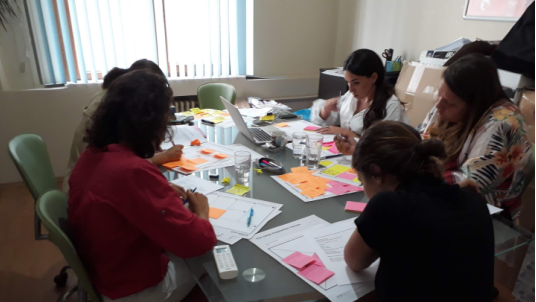
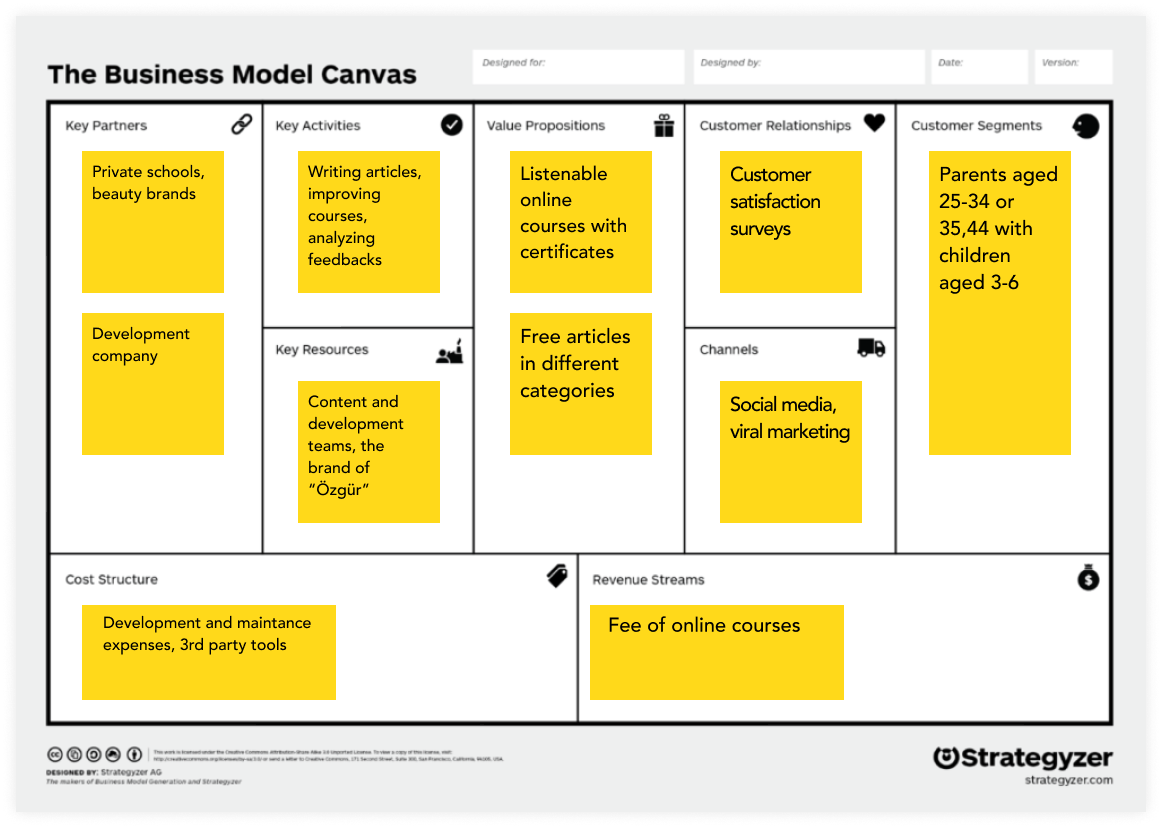
Using research outputs, we explored multiple value propositions, ran a SWOT analysis on different business models, and aligned on a direction: free articles to attract, premium online courses to monetize.
Step 2
Wireframes
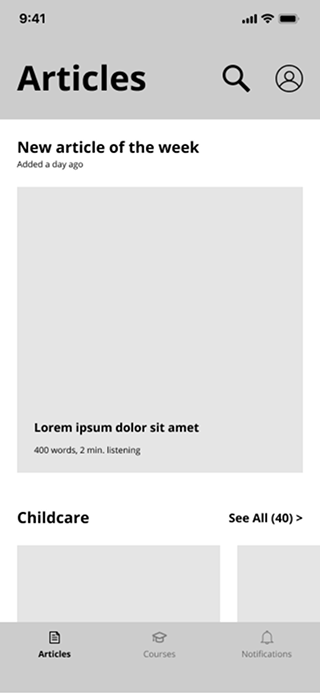
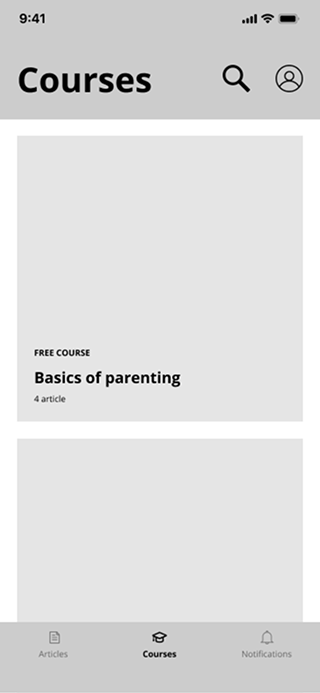
The backbone of the application consists of three main sections: articles, courses, and notifications. Articles open the app — free, expert-backed content designed to surface answers to the most common parenting problems and up-sell premium courses. The courses page leads with a free course so parents can experience the format before committing. A notification centre completes the loop, giving us a channel to re-engage users at the right moments.
 1.png)
Step 3
Design decisions
User gain
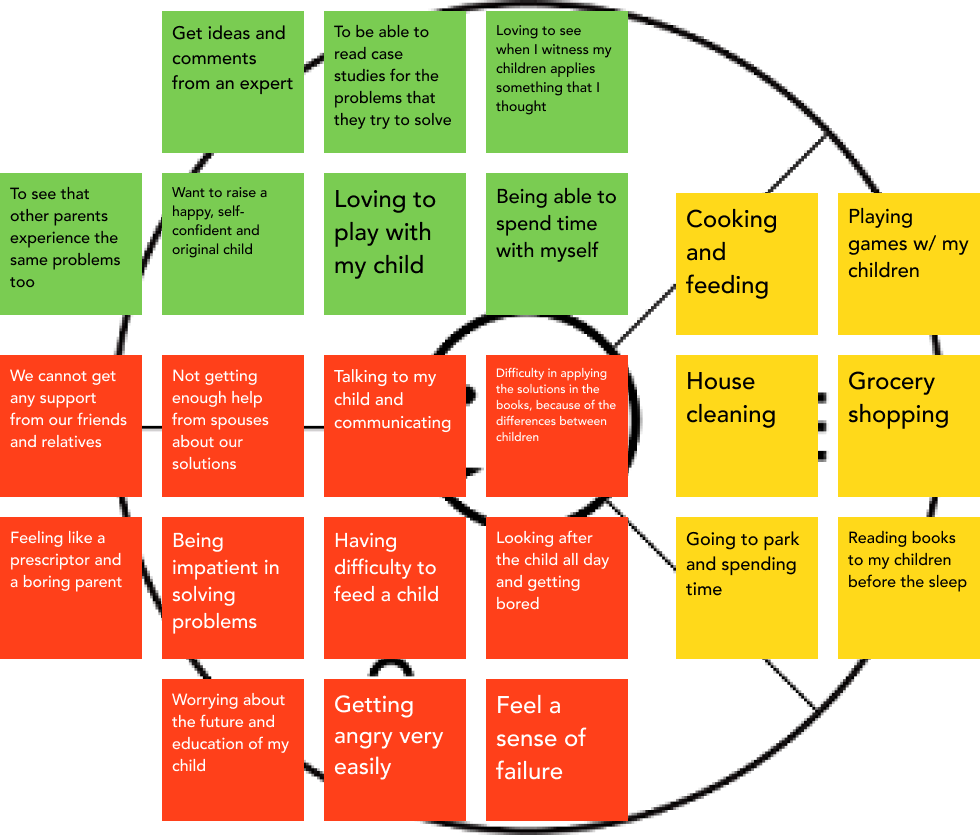
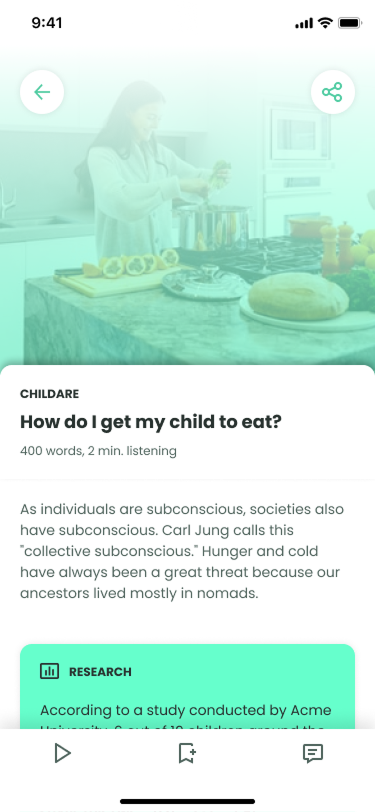
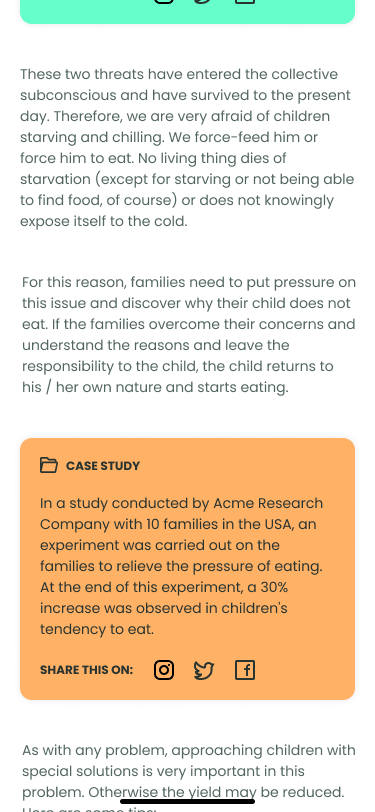
Parents want to read research and case studies for the problems they're trying to solve — not just opinions.
Design decision
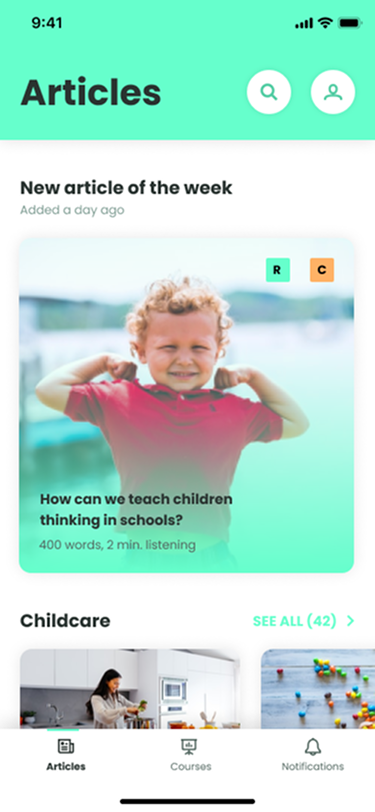
Articles are tagged with R (research) and C (case study) icons. The same color system carries through into article detail pages.
Jobs to be done
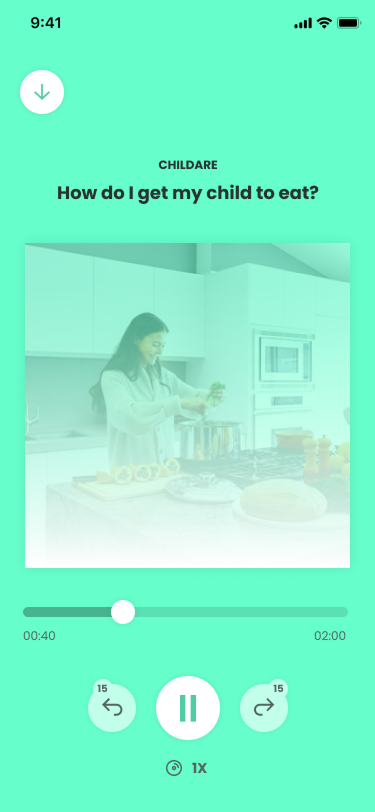
Cooking, feeding, house cleaning, grocery shopping, going to the park — a parent's day is full before they sit down to read.
Design decisions
A day of a parent is all about taking care of their child. So in accordance with their context, we made all articles audible.
We've also added the bookmark feature for them to continue wherever they left off when interrupted.
Pain points
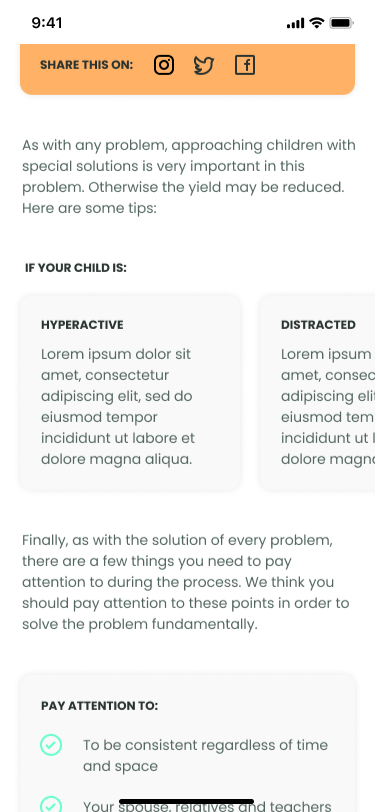
Difficulty in applying solutions from books, because of the differences between children.
Being impatient in solving problems.
Design decisions
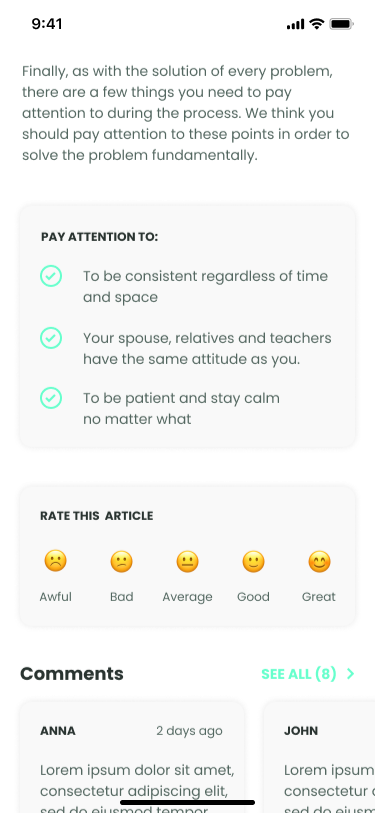
We added an "If your child is…" component with tips tailored to different child types, and a "Pay attention to" section to help parents anticipate challenges before losing patience.
Business model requirement
Making revenue by selling online courses.
Design decisions
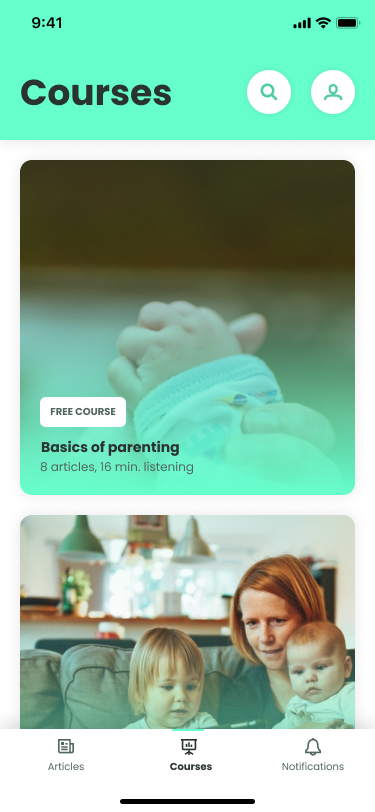
While designing the articles page, we also imagined it as a place to up-sell courses. At the end of each article, we added relevant courses where parents can go deeper on the subject.
Since the revenue model depended on selling courses, parents needed to experience the value first. We made one course free so they could try it before committing.
.png)
Business model requirement
Making revenue by selling online courses.
Design decisions
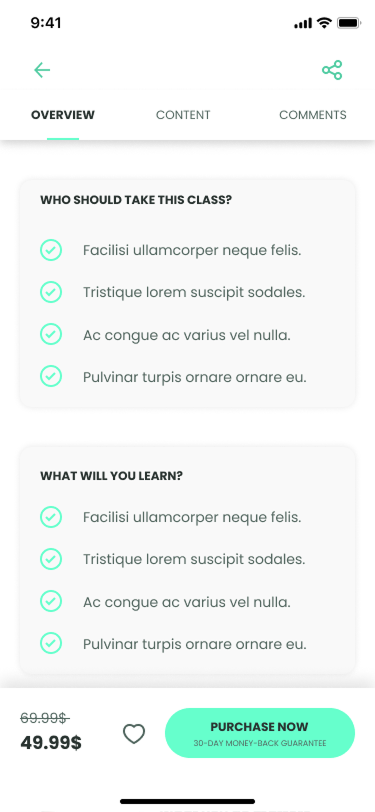
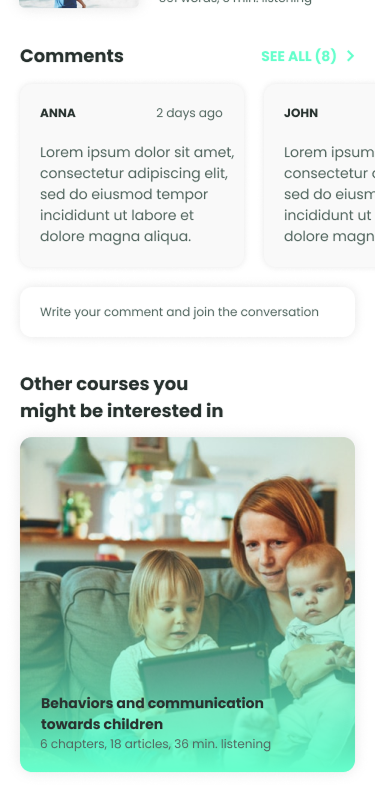
A 30-day money-back guarantee lowered the commitment barrier. The course detail page answered "Who should take this?" and "What will I learn?" to help parents decide with confidence. A cross-sell section surfaced related courses at the end of each page.
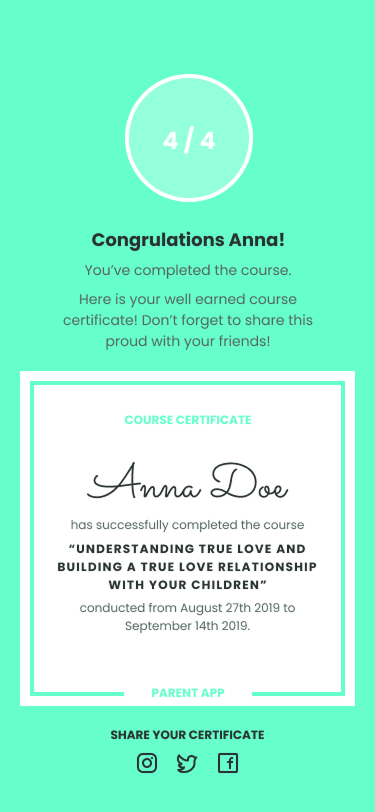
The rest of the UIs
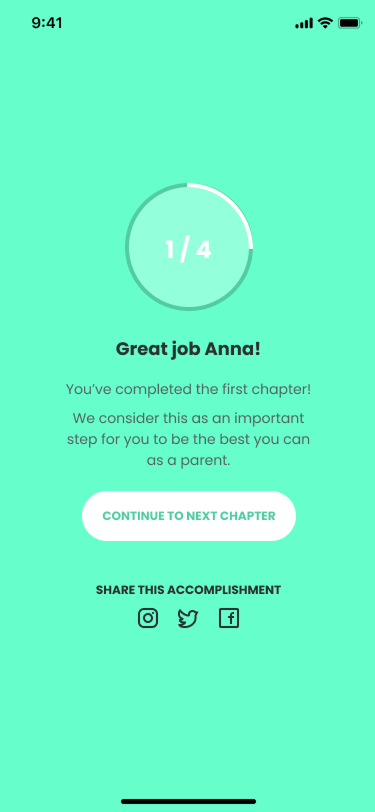
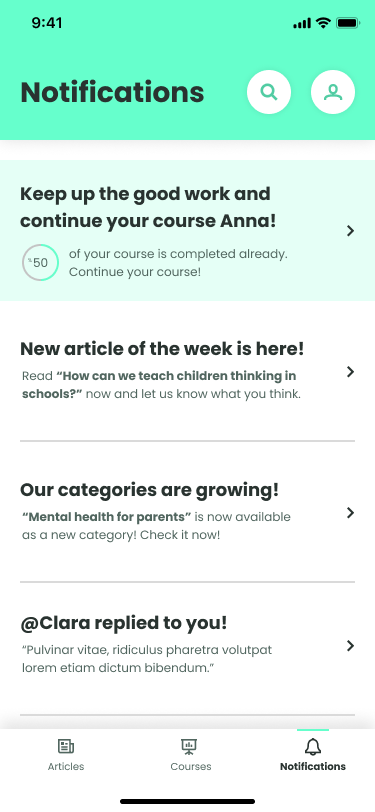
Key insights
Community reduces guilt
Knowing other parents struggled with the same issues was as valuable as the advice itself. The tone needed to be warm, not clinical.
Learnings
Define scope and communication early
Clearly communicating the scope of deliverables at the start is as important as the work itself — misaligned expectations create friction even when the output is strong. Regular communication with the project owner isn't just courtesy — it's a design tool. Gaps compounded ambiguity in already undefined territory.