



A payment startup was building digital infrastructure for a region where most people don't use banks. Three user types, complex financial logic, a product still being defined. I was the only designer.
Context
MenaPay set out to bring digital payments to a region where banks don't work for most people
More than 80% of the MENA region's population doesn't use banks, not because of poverty, but because the traditional banking system isn't compliant with Islamic finance. MenaPay was built to fill that gap: a blockchain-based payment platform that lets people transact digitally without a bank account.
When I joined, the consumer app was already in development. The dashboards for merchants and resellers, the B2B infrastructure that made the whole system work, hadn't been designed yet. That's where I came in.
Problem
Business
Two dashboards. Different goals. No existing design.
Merchants and resellers share the same platform but do fundamentally different things. A merchant tracks sales and processes refunds. A reseller manages exchange rates, sets service fees, and converts cash to MenaCash for customers.
Design
The product was still being defined
The specs covered happy paths. Edge cases, error states, and business rules were either missing, incomplete, or contradictory across documents. There was no time to wait for clarity — the consumer app was already in development and the deadline didn't move.
Deliverables
Merchant and reseller dashboards, from wireframe to a component library
The merchant and reseller dashboards shipped as complete, handoff-ready designs: wireframes, UI, component library, and style guide.
Approach
When the specs are incomplete, show a wireframe and drive the conversations
When the specs are incomplete, the fastest way to get answers isn't to ask. Show a wireframe and drive the conversations.
- 1Understand the design requirements
- 2Research competitors for interaction patterns
- 3Wireframes to drive the conversation
- 4Build with change in mind
Execution
Step 1
Map who I'm designing for before touching the UI
I started with stakeholder interviews to understand MenaPay's business model and what each user type actually needed from a dashboard.
From stakeholder interviews
"MenaPay had three target audiences: online merchants, offline merchants, and MenaCash resellers. Each role had different goals on the same platform, and each needed its own dashboard logic."
The interviews made one thing clear: merchant and reseller dashboards would share the same platform but serve fundamentally different goals.
| Merchant | Reseller | |
|---|---|---|
| Primary goal | Accept MenaCash payments, track sales | Sell MenaCash to consumers for cash |
| Key action | Review and process refunds | Convert cash to MenaCash for customers |
| Service fee | — | Sets commission on top of exchange rate |
| Exchange rate | Shared setting | Shared setting — plus margin control |
| Reports | Sales, transactions, customers | MenaCash sales and wallet balance |
Same platform, two distinct roles — each with its own dashboard logic.
Sitemap — 31 screens across two dashboards, 71% shared foundation.
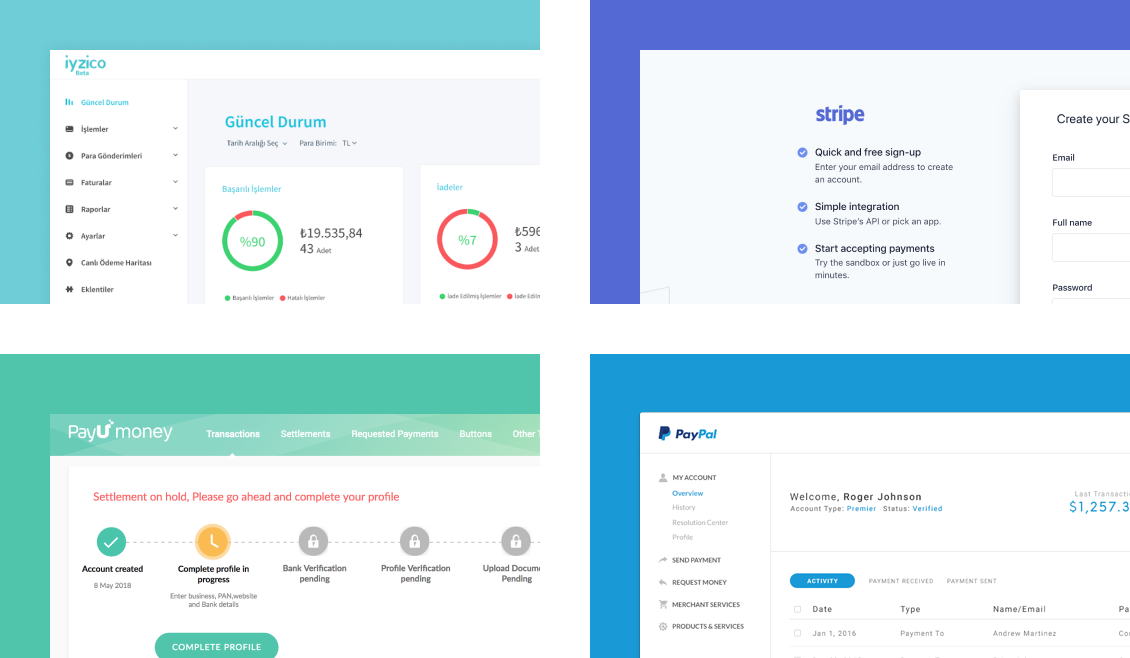
Competitor analysis followed: iyzico, Stripe, PayU, and PayPal. The focus was interaction patterns: how do users sign up, get verified, and read their dashboard data? These patterns became the structural baseline for the dashboard.
Step 2
Build the skeleton from patterns merchants already know
The competitor research fed directly into the skeleton. Each structural decision came from a pattern merchants already knew, not from aesthetics.
Finding
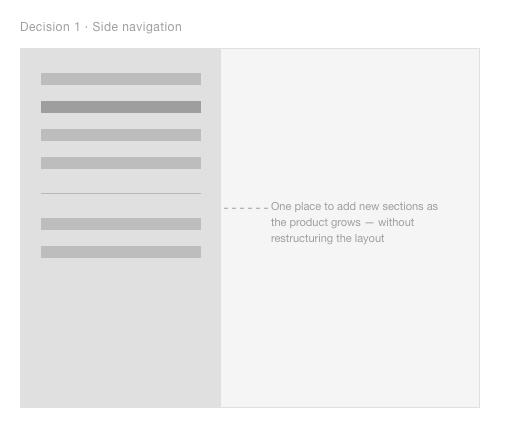
iyzico and Stripe both use side navigation that scales as new sections are added, a pattern merchants already know from other B2B tools.
Decision
Side navigation as the skeleton foundation. Scalable as the product grows: new sections slot in without restructuring the layout.
Finding
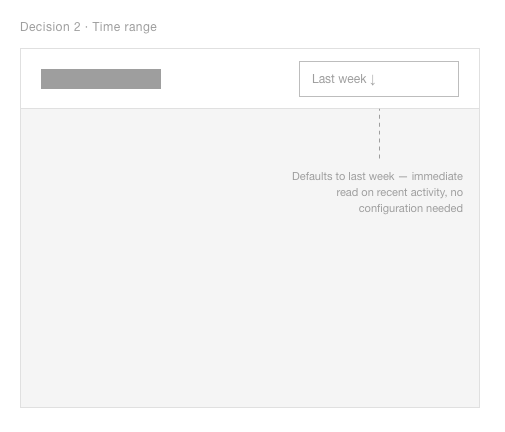
Google Analytics and Stripe place time range selection top-right, merchants already know to look there.
Decision
Time range selector placed top-right. Default selections (yesterday, last week) so users act immediately without configuring anything.
Finding
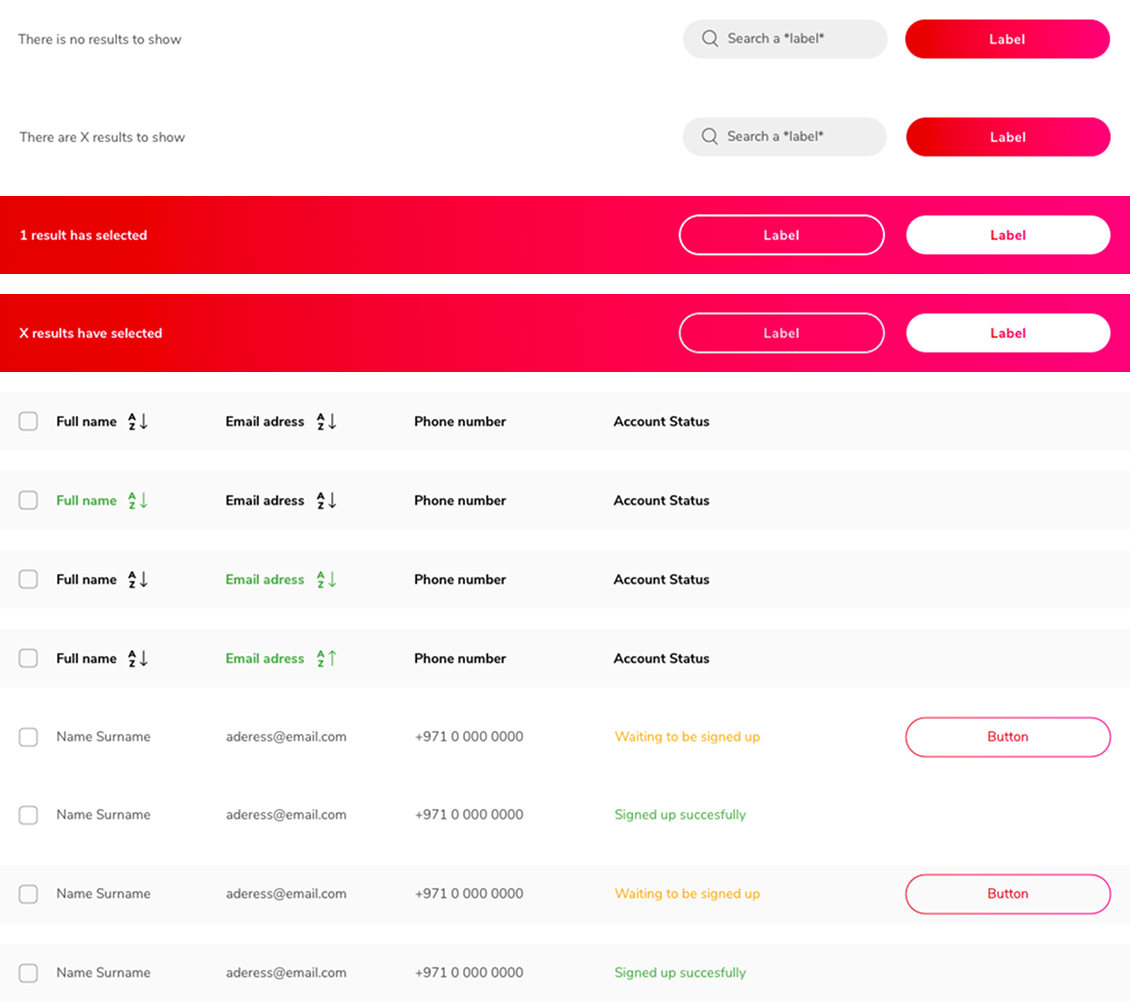
Across all four competitors, actions on list items only appear after selection, keeping the default view clean.
Decision
Select-to-act pattern throughout. Actions only appear when relevant, reducing cognitive load for infrequent users.
Step 3
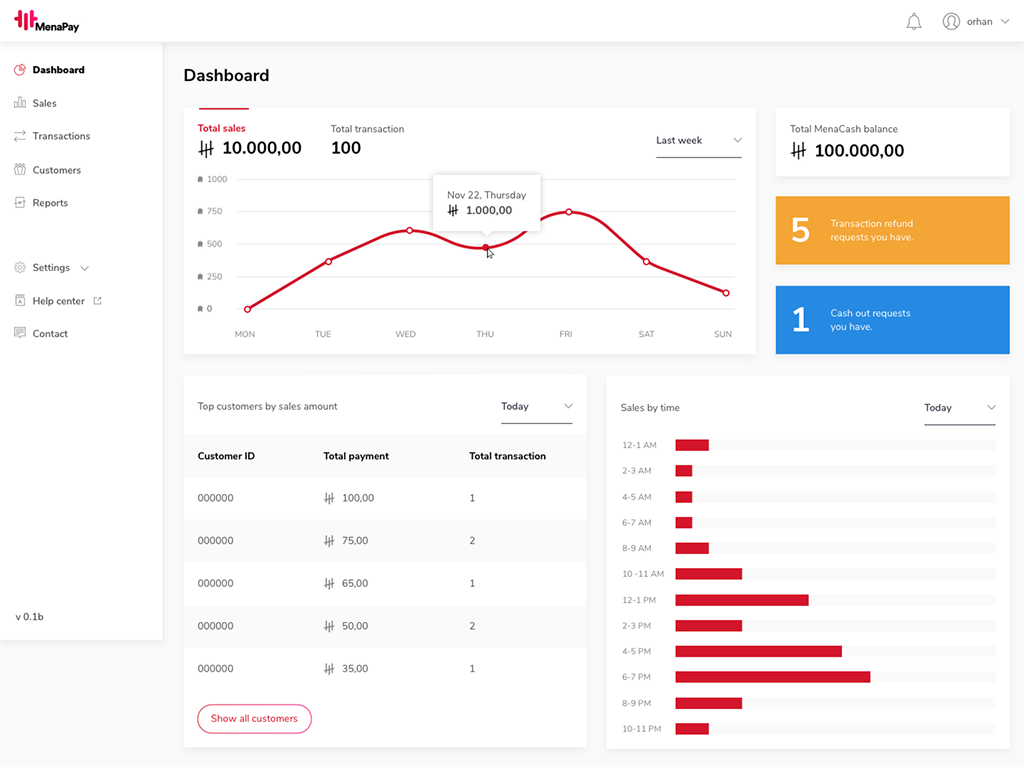
Tell merchants what needs attention the moment they log in
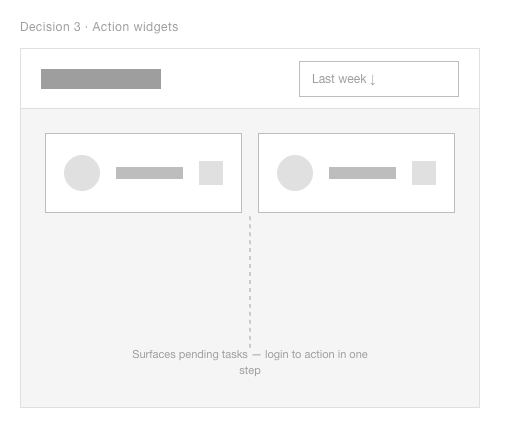
One finding from interviews shaped the dashboard more than anything else: merchants would log in infrequently. They needed to know what required attention the moment they arrived, not after scanning the page.
Action widgets surface pending tasks — 5 refund requests, 1 cash-out request — each linking directly to a pre-filtered view. Login to action in one step.
Step 4
Show actions only when they're relevant
Throughout the dashboard, actions only appear when an item is selected. The default view stays clean. This keeps the interface minimal for infrequent users while making bulk actions available when needed.
Step 5
Make complex choices feel like one step at a time
Report creation was the most complex flow in the project. Merchants could combine multiple data sources (Sales, Transactions, Customers), each with its own filter set. The challenge was making a large number of choices feel manageable.
Challenge
Users needed to select data sources and stack multiple filters: a large number of choices in one flow.
Decision
Divided into steps: data source → filters → summary. Each step shows only what's relevant. A live result count at the bottom gives confidence before submitting.
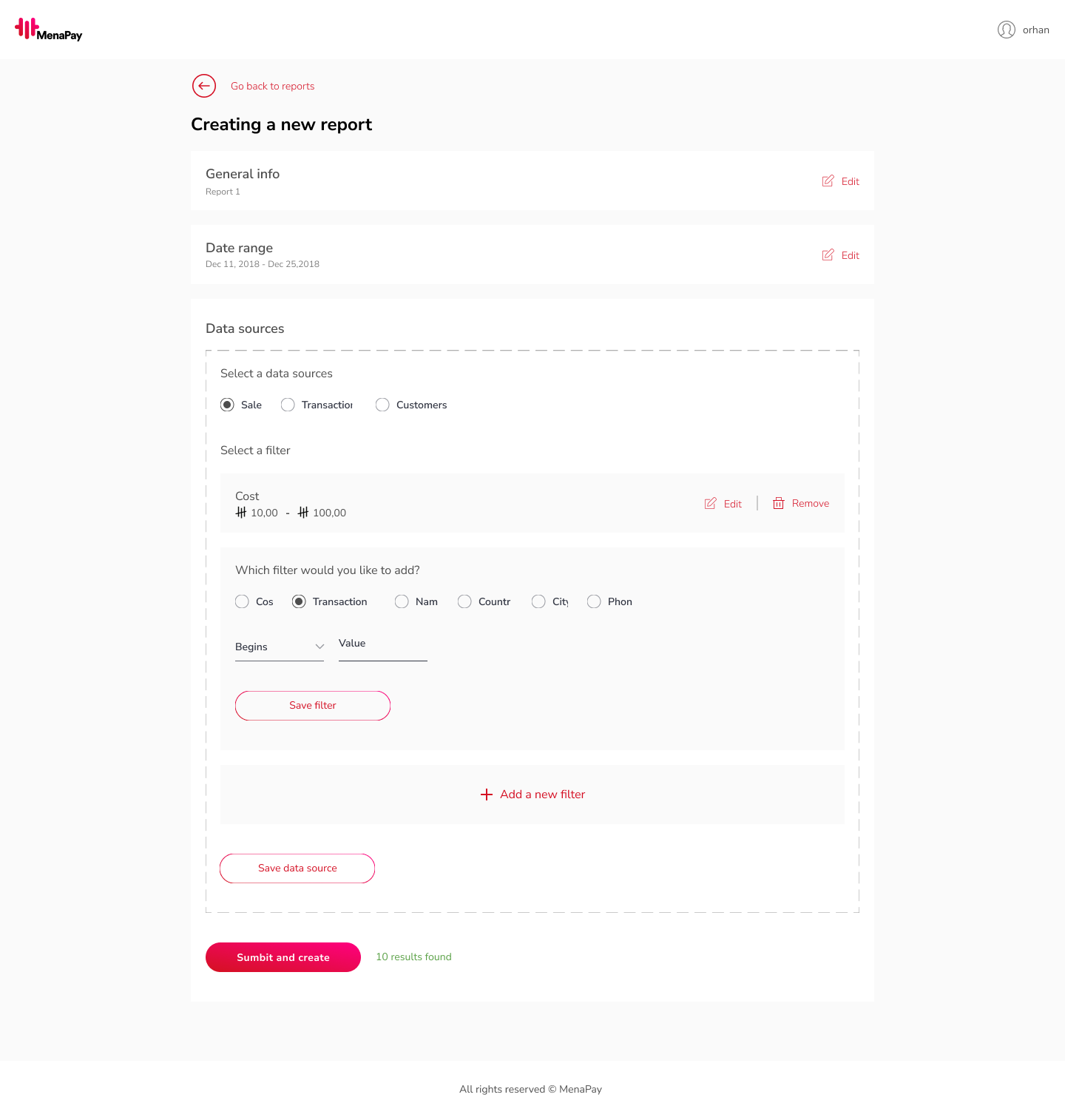
Four steps, one screen. The complexity is real but the path through it is clear.
Step 6
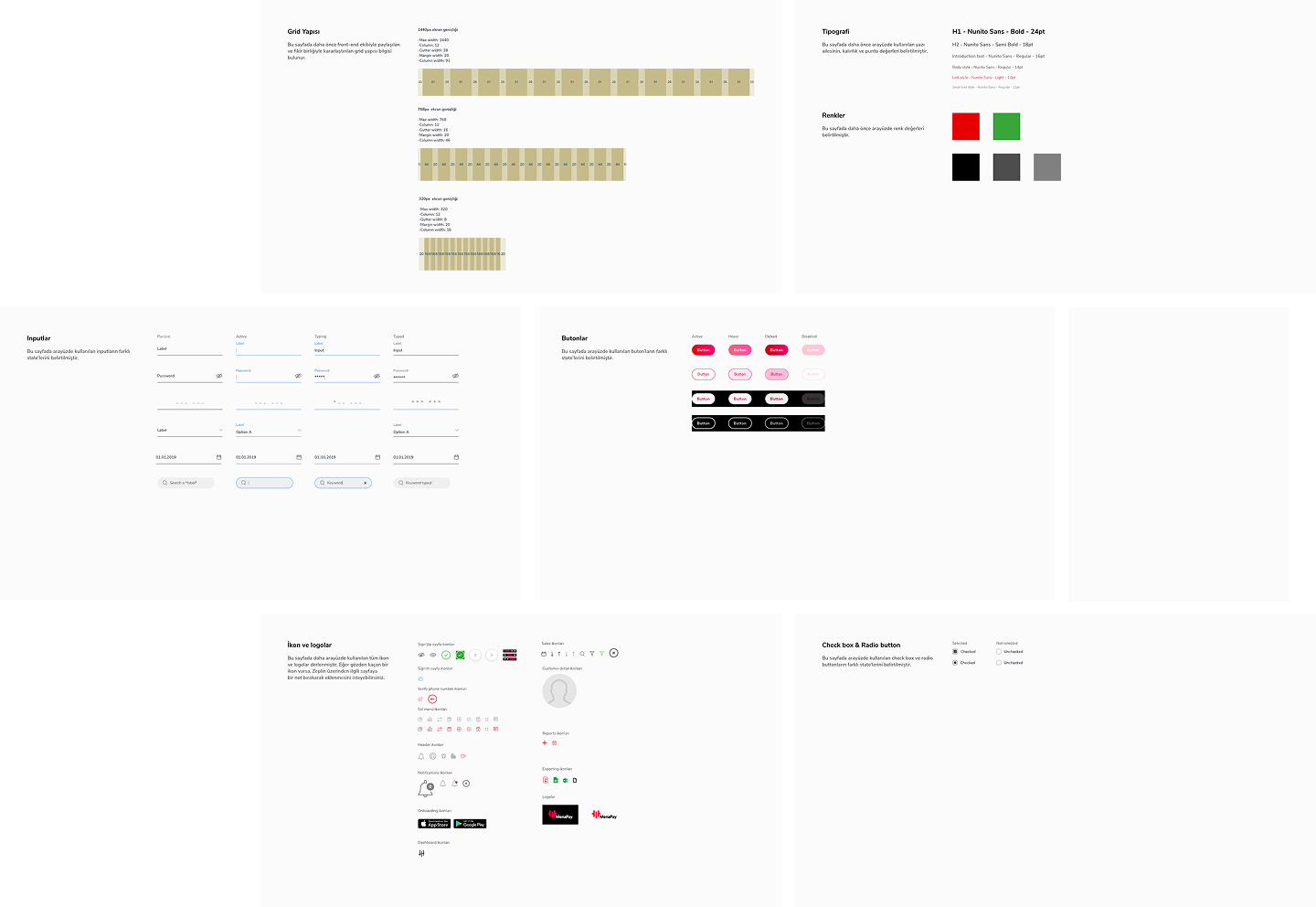
Leave the dev team nothing to guess
The project ended with a complete style guide delivered to the dev team: grid structure, typography, colours, icons, buttons, and form elements. Every component state was documented. The Sketch symbol system meant the guide and the designs stayed in sync.
Key insights
Infrequent users need a different dashboard logic
The less often someone uses a tool, the more it has to do the thinking for them. Passive dashboards don't work for B2B users who aren't daily users.
Learnings
Start with wireframes, even under resistance
Starting with wireframes, even when the team is skeptical, pays off. It's the fastest way to surface unclear rules and get alignment before committing to detailed UI.